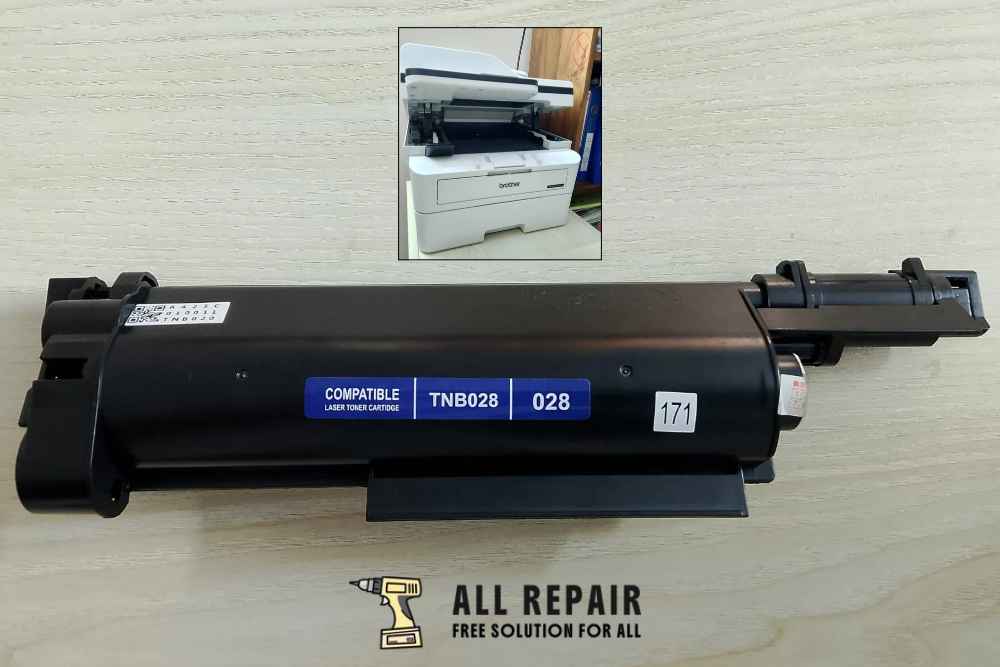
Yes, the cartridge can be refilled using compatible toner powder. However, its internal components should be checked for wear or damage.
In our busy office schedule each department print more than 100 pages per day. To print this 100 pages we use leaser printer to do the heavy jobs, specially for the both side printing.
Today my boss asked me Ezaz, the printer is not working can you check? Then I provided a command for printing to our Brother DCP-B7640DW Printer, which is an all in one printer scanner and photocopier.
After giving command from default printer software I just saw the notification bar, it says “Replace the printer toner” I was shocked! What is this we changed our toner 10 days ago. How it can finish so fast! So I opened the printer toner cartridge and shake it a while and inserted back into the printer, but the warning still on my screen. It means it’s totally empty and we have to buy a new one. So I tried a refill powder into it and going to share the process with you.
Can I refill the existing Toner cartridge (TNB028) after the toner runs out?
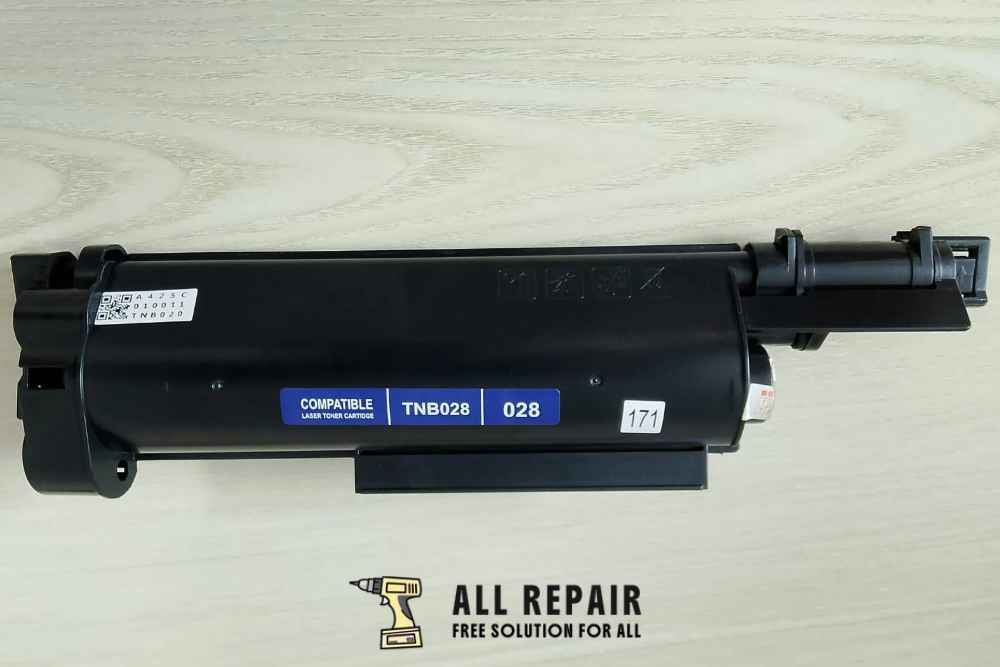
Yes. You can refill your existing Brother TN-B028 toner cartridge for the DCP-B7640DW instead of buying a new cartridge. However, there are a few things worth understanding before you decide to refill it.
This can be a more economical option than purchasing a new cartridge, particularly if you print regularly. However, not every toner powder is suitable for every printer. Using an incompatible toner can result in poor print quality or other printing problems.
I recommend checking the exact cartridge model before buying toner powder. Don’t assume that toner advertised for another Brother cartridge will automatically work with the TN-B028.
Which Toner Cartridge Does the Brother DCP-B7640DW Use?
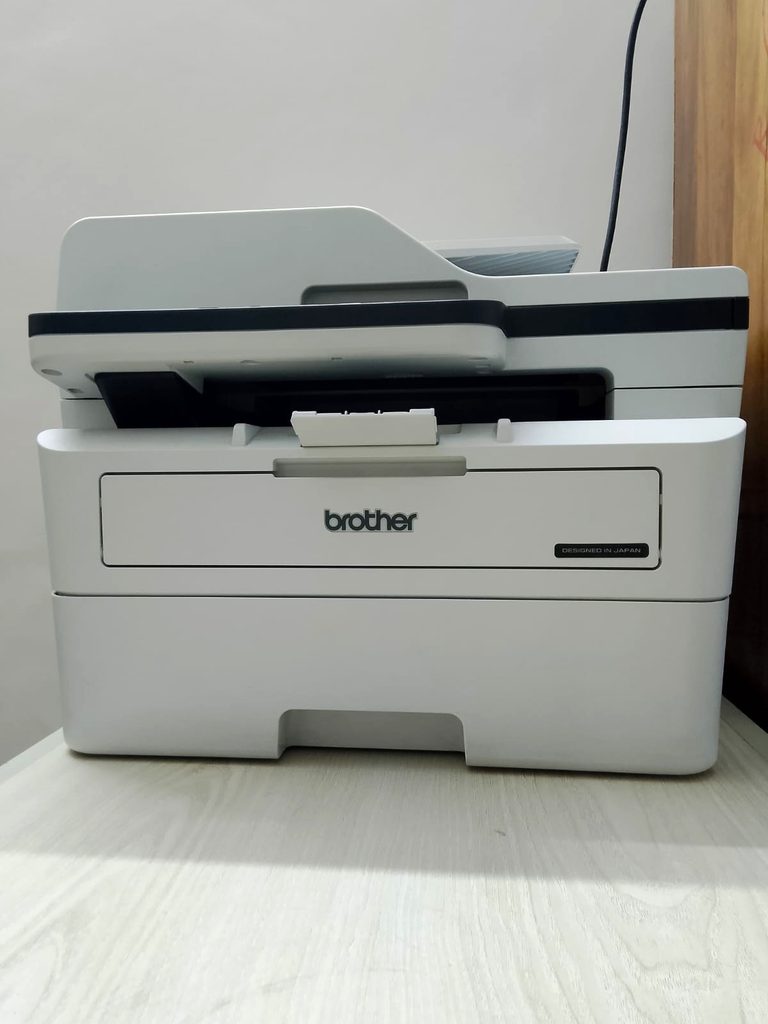
The Brother DCP-B7640DW uses the TN-B028 toner cartridge in supported markets. It is a black toner cartridge designed for monochrome laser printing.
Here are the basic details:
- Printer model: Brother DCP-B7640DW
- Toner cartridge: Brother TN-B028
- Toner colour: Black
- Approximate standard yield: 2,600 pages
- Drum unit: DR-B028
- Approximate drum life: 12,000 pages
Page yields are estimates based on standard testing conditions. Your actual results may vary depending on how much text, graphics, and solid black content you print.
One important thing to remember is that the toner cartridge and drum unit are separate parts. You generally don’t need to replace the drum just because the toner has run out.
Step by Step Refilling Process
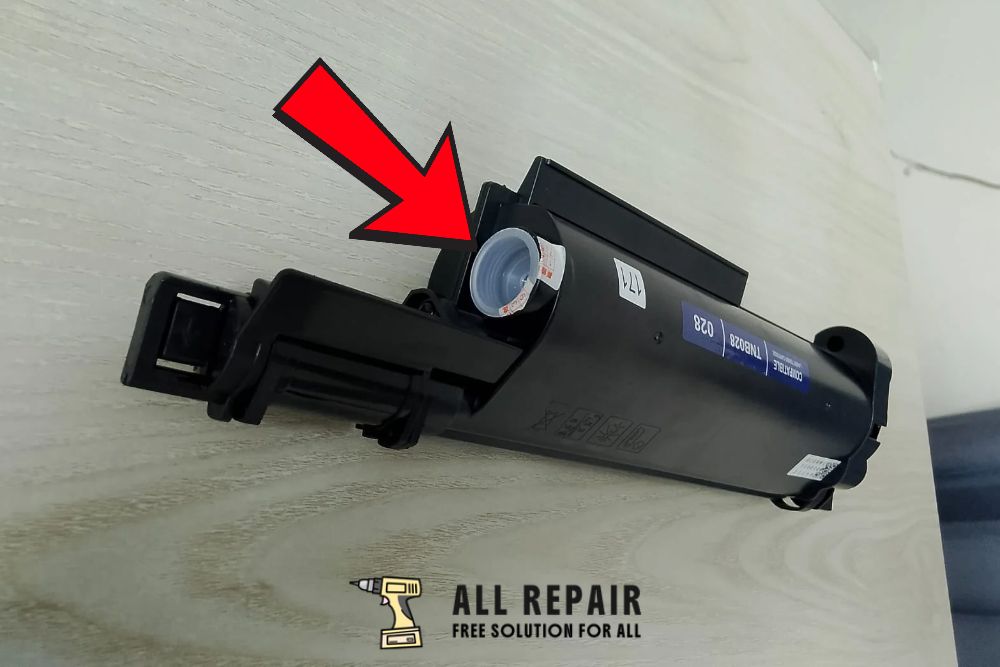
Step 1: Access the Toner Chamber
First, remove the toner cartridge from the drum unit by releasing the locking mechanism. Place the cartridge on a clean, flat surface.
Locate the white plastic cap on the side of the TN-B028 toner cartridge. This cap covers the toner refill opening.
Using a suitable screwdriver, carefully remove the screw securing the white cap. Once the screw is removed, gently detach the cap to expose the toner chamber.
Important: Keep the screw and cap somewhere safe. Avoid applying excessive force, as the plastic cover can break.
Step 2: Add the New Toner Powder
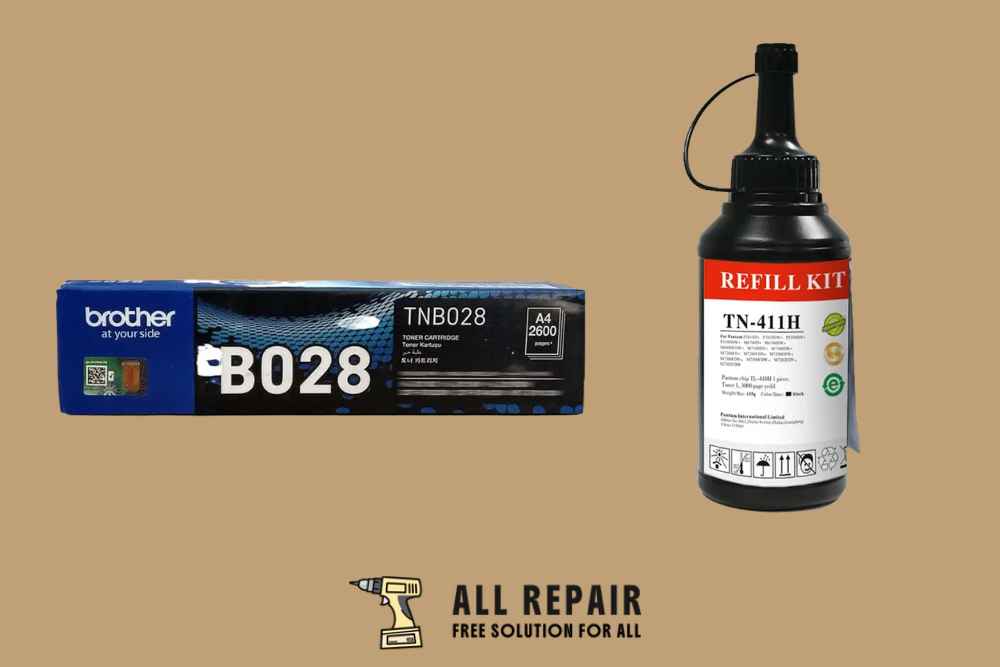
After opening the toner chamber, you can begin adding the new toner powder.
Carefully pour the compatible TN-B028 toner refill powder into the chamber. You can use a small funnel to make the process easier and minimize spills.
Add the powder gradually rather than pouring everything at once. Avoid overfilling the chamber, and follow the refill powder supplier’s recommended quantity.
Important precautions:
- Use only toner powder compatible with the TN-B028 cartridge.
- Do not touch, remove, or adjust other internal components.
- Avoid spilling toner powder around the cartridge opening.
- Do not force toner into the chamber if it becomes difficult to pour.
Once the chamber is filled, make sure no loose toner remains around the opening.
You May Find This Helpful: USB Flash Drive Not Showing in File Explorer
Step 3: Reinstall the White Refill Cap
After filling the toner chamber, carefully position the white plastic cap back over the refill opening.
Make sure the cap sits correctly and covers the opening completely. Reinsert the original screw and tighten it gently using your screwdriver.
Do not overtighten the screw, as excessive pressure may damage the plastic cap or its threads.
Check that the cap is properly secured and that no toner powder is leaking from the opening.
Step 4: Access the Gear Side of the Cartridge
Now turn the toner cartridge over to access the opposite side.
Locate the plastic cover protecting the cartridge’s internal gear mechanism. You should see a screw securing this cover.
Carefully remove the screw using your screwdriver. Gently lift the cover to expose the internal gears.
Important: Pay close attention when removing this cover. Some gears may become loose or fall out during disassembly.
Before removing anything, take a clear photograph of the original gear arrangement. This will help you identify the correct position when putting everything back together.
Step 5: Adjust the Reset Gear
This is one of the most important steps in the refilling process.
The toner cartridge has a gear mechanism that helps the printer detect a new toner cartridge. For compatible refill cartridges that use a manual reset gear, the gear must be returned to its specified starting position.
Carefully inspect the gear arrangement and identify the reset gear.
If any gears have shifted during disassembly, reposition them according to the original configuration and the correct TN-B028 reset-gear reference.
Do not randomly rotate the gears or force them into position. Incorrect alignment can prevent the cartridge from operating properly.
Note: The reset gear’s exact starting position depends on the cartridge’s gear design. Use a model-specific reference image before making adjustments.
Step 6: Reinstall the Gear Cover
Once the gears are correctly positioned, carefully reinstall the protective side cover.
Make sure the cover fits properly without trapping or displacing any gears.
Insert the original screw and tighten it securely, but avoid overtightening.
Before moving to the next step, check that:
- The gear cover is properly aligned.
- No gears are visibly displaced.
- The cover is securely attached.
- The cartridge rotates freely where the mechanism is designed to rotate.
Step 8: Reinstall the Assembly and Test Print
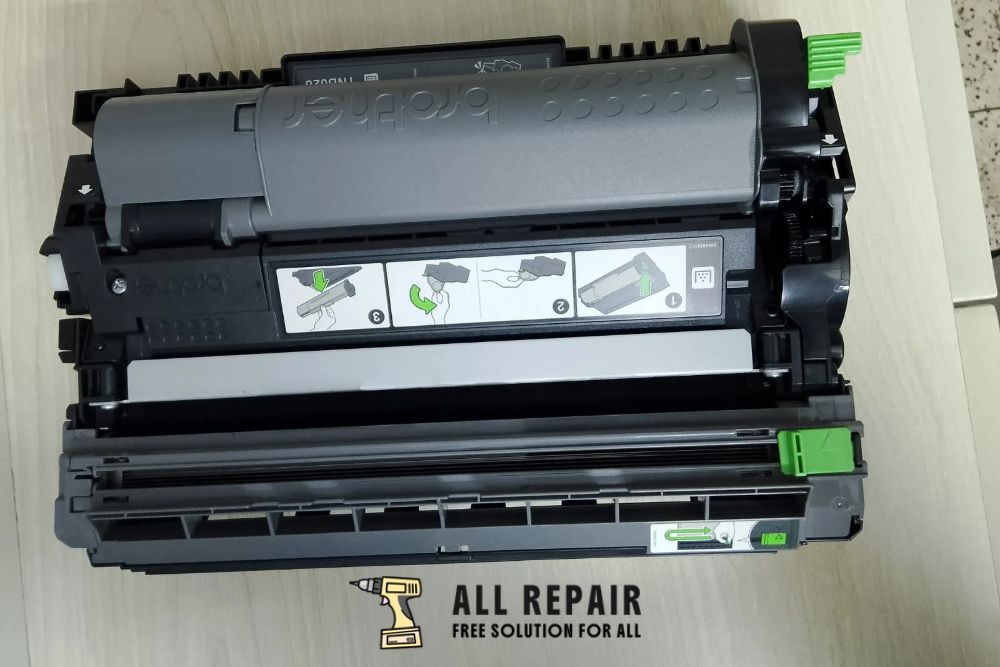
Finally, reinstall the combined toner cartridge and drum unit assembly into your Brother DCP-B7640DW printer.
Close the front cover and allow the printer to initialize.
Print a test page to check the print quality. Look for:
- Clear and readable text.
- Consistent black printing.
- No faded areas or blank sections.
- No toner leakage or unusual noises.
If the printer displays a toner warning, check the cartridge installation and reset mechanism. Refilling toner powder alone does not necessarily reset the printer’s toner-status counter.
After completing the refill and reassembly, carefully place the toner cartridge back into the drum unit.
Align the cartridge with the drum unit’s mounting points and gently push it into position until you hear or feel the locking mechanism engage.
Make sure the toner cartridge is properly seated and does not move loosely inside the drum assembly.
You May Find This Helpful: How to Back Up Files to an External Hard Drive
What Should You Check Before Refilling?
Before sending the cartridge for refilling, check a few things.
1. Check the cartridge condition
If the cartridge has been used several times, its internal components may be worn. A technician should inspect it before adding more toner.
2. Use compatible toner powder
Choose toner specifically confirmed as compatible with the TN-B028. Generic toner is available, but compatibility matters more than the brand name on the packaging.
3. Check for toner leakage
If you notice loose toner around the cartridge, have it inspected. A damaged seal or worn component can cause leakage inside the printer.
4. Don’t ignore print quality
If your printer produces faded, uneven, or streaky pages, the issue might not be caused by low toner alone. The drum unit, cartridge components, or other printer parts may also need attention.
Does Refilling Reset the Brother Toner Warning?
This is something many Brother printer owners find confusing.
Adding toner powder does not necessarily reset the printer’s toner counter. The printer may continue displaying a low-toner message even after the cartridge has been refilled.
A toner reset procedure may be required, depending on the cartridge and printer configuration.
If the warning remains after refilling, check the printer’s instructions or ask a technician familiar with the DCP-B7640DW. Avoid repeatedly resetting the counter without checking that the cartridge has actually been refilled and is working correctly.
My color is too bold in DCP-B7640DW can I make my printing density low?
Yes! You can reduce the printing darkness on your Brother DCP-B7640DW by adjusting the Print Density setting.
If your prints are coming out too dark, try reducing the density level. This can make black text and printed areas lighter.
How to reduce print density
Follow these steps using the printer’s control panel:
- Press the Menu button.
- Use the Up (▲) or Down (▼) button to navigate to General Setup, if necessary.
- Find 3. Density.
- Press OK.
- Use the Up (▲) or Down (▼) button to select a lower density value.
- Press OK to save the setting.
- Print a test page to compare the result.
My recommendation: Start by lowering the density by one or two levels. Avoid making a large adjustment immediately, as text may become too faint.
Important: Printing vs. photocopying
Your printer has separate density settings:
- Copy > Density: Adjusts darkness when photocopying.
- Printer > Density: Adjusts darkness for regular printing.
Is Refilling Better Than Buying a New Cartridge?
It depends on the condition of your existing cartridge and how much you print.
Refilling may be a sensible option if the cartridge is still in good condition and a compatible toner powder is available.
Buying a new cartridge may be a better choice if the existing one has damaged components, leaks toner, or repeatedly produces poor-quality prints.
I usually recommend checking the cartridge first rather than immediately spending money on a replacement.
Frequently Asked Questions
Can I use a vacuum to clean up spilled toner?
No, you should never use a regular household vacuum because toner particles are too fine for standard filters and will be exhausted back into the air, potentially damaging the vacuum motor. They will pass through the machine and blow back into your room, or the static electricity generated by the vacuum could cause a fire hazard.
Is it safe to touch the shiny green or blue roller?
It isn’t safe to touch the drum roller because oils from your skin leave permanent marks that will appear as spots on your printed pages. If you touch it by accident, don’t try to wipe it with water or chemicals, as this will remove the sensitive coating.
How do I dispose of a used cartridge?
You should place the used cartridge back into the box from your new one and look for a local recycling drop-off point. Many office supply stores and the manufacturer’s own website offer free mail-in programs to ensure the plastic and metal are recovered properly.
Can I refill the TN-B028 toner cartridge instead of buying a new one?
Yes, the cartridge can be refilled using compatible toner powder. However, its internal components should be checked for wear or damage.
Does the Brother DCP-B7640DW use a separate drum unit?
Yes. It uses a separate DR-B028 drum unit in markets where TN-B028 is the applicable toner code.
Final Thoughts
The Brother DCP-B7640DW is a useful monochrome laser printer for home and office printing. If you’re using the TN-B028 toner cartridge, you have the option of refilling the existing cartridge instead of replacing it every time the toner runs out.
Just make sure you use compatible toner powder and have the cartridge checked for wear or damage. Also, remember that the DR-B028 drum unit is separate from the toner cartridge.
A little attention to printer maintenance can help you avoid unnecessary replacement costs and keep your printer working reliably.