
Free Tech Guides. Practical Solutions.
All Repair provides practical guides, troubleshooting tutorials, and solutions for computer problems, printers, Windows, Microsoft Office, storage devices, antivirus software, and creative applications.
All repair
find your solution
We have free guides
waiting for you
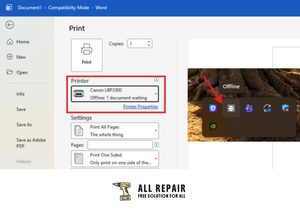
- Printer Showing Offline in Windows 11? 8 Ways to Fix It
- How to Back Up Files to an External Hard Drive in Windows 11
- Can You Refill Brother DCP-B7640DW Printer Toner?
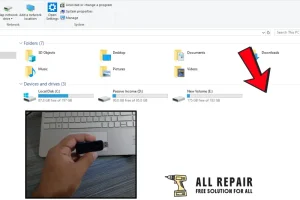
- USB Flash Drive Not Showing in File Explorer | What to Do Now?
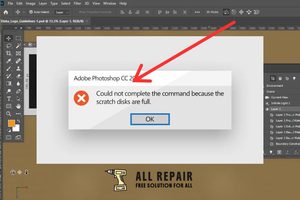
- Adobe photoshop CC Scratch Disk Full – Solution with Screenshots
Practical IT Solutions
Helpful solutions for everyday computer, laptop, printer, and software problems.
Step-by-Step Guides
Easy-to-follow tutorials with real screenshots, images, and clear instructions.
Latest Tips & Updates
Stay informed with useful IT tips, software updates, and troubleshooting advice.

Solve Problems with Confidence
Everything You Need to Solve Everyday Tech Problems
Find practical solutions to common computer, laptop, printer, and software problems. Our free tutorials make troubleshooting easier with simple explanations and step-by-step instructions.
What Will I Find On
All Repair??
Browse free, step-by-step guides for the problems people face most, from
slow computers and printer errors to lost files and security threats.
pc & WINDOWS
Computer, Laptop And Windows Fixes
Fix slow performance, boot problems, blue screens, update errors and everyday Windows issues
PRINTER & OFFICE
Printer, Scanner And Microsoft Office Help
Solve offline printers, driver errors, scanning problems, and Word, Excel or PowerPoint issues
STORAGE & SECURITY
Storage, Antivirus And Data Safety
Recover files, repair USB drives and SD cards, remove threats and fix antivirus problems
Bonus
+ Bonus tips
Speed Up Your Slow Windows PC In Minutes
Learn simple, safe tricks to clean up startup apps, free up storage and make your computer run faster, with no paid tools needed.
Meet your solution provider
The Certified Person Behind
All Repair
Every guide on All Repair is written by a certified IT and design professional
and shared free so anyone can fix their tech problems.
Ezaz risan
IT Professionals
All Repair, Founder Words
I’m Ezaz, the person behind All Repair.
I work as an IT Officer at a non-profit organization, where I’m responsible for supporting the team’s IT needs: troubleshooting computers and laptops, fixing printer and scanner issues, managing storage and security problems, and helping colleagues with Microsoft Office. Solving these problems every day taught me that most tech issues have a simple fix. People just can’t always find it explained clearly.
That’s why I started All Repair: to turn real troubleshooting experience into free, step-by-step guides anyone can follow. My background includes certifications in Microsoft Office, IT support and graphic design, which also helps me cover creative applications on the site.
All Repair will always stay free, because everyone deserves a working computer without the extra cost.
Reviews
Testimonials
What Readers Say
About All Repair…
I use adobe Photoshop to design my recipe guides, but one day there is an error message “Scratch Disk Full”, Then I found a helpful guides in your blog.

My printer kept saying the cartridge was empty right after I refilled it. The steps in this guide fixed it in minutes. I solved the refilled cartridge error without paying for a technician.

Start Fixing Your Tech
Problems Today
All Repair gives you free, step-by-step guides for computers, printers, Windows, Microsoft Office, storage and security problems. No sign-up, no subscription and no hidden fees, just clear solutions you can follow at your own pace.
100% Free Guides
Subscribe to get new repair guides and tech tips in your inbox. No spam, and you can unsubscribe anytime.